> ## Documentation Index
> Fetch the complete documentation index at: https://docs.rc.cleverhub.co/llms.txt
> Use this file to discover all available pages before exploring further.
# Express Checkout
> Step-by-step guide to using Express Checkout with Hello Clever on WooCommerce stores.
# **Express Checkout**
## Overview
Hello Clever’s **Express Checkout** provides a seamless and fast payment process designed to enhance customer experience. The entire checkout happens in a **popup window**, meaning customers remain on your website without navigating away. This feature is **only available for WooCommerce stores**. Follow the guide below to use Express Checkout effectively.
## **Steps to Complete Express Checkout**
### 1. Product Page
* Navigate to the product page of your choice on a WooCommerce store that supports Hello Clever.
* Look for the **Express Checkout** option, which displays the cashback available for the purchase.
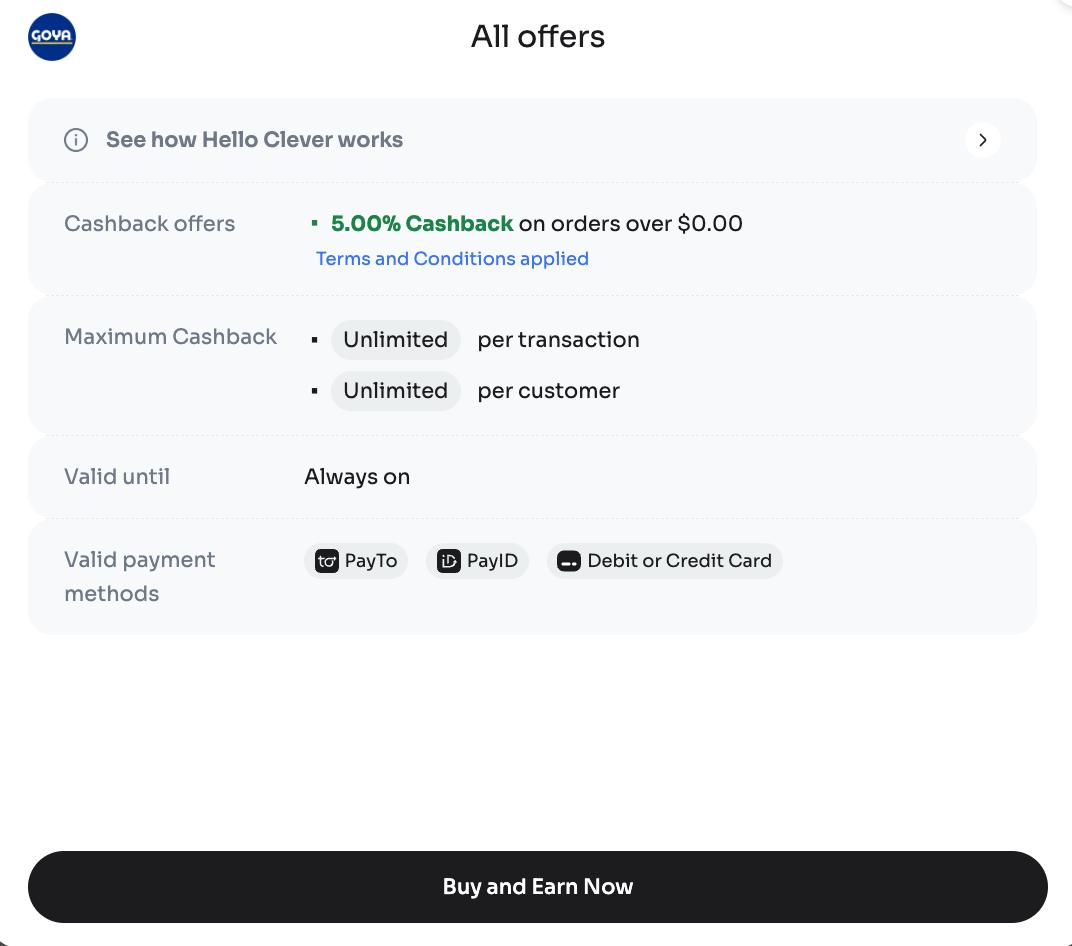
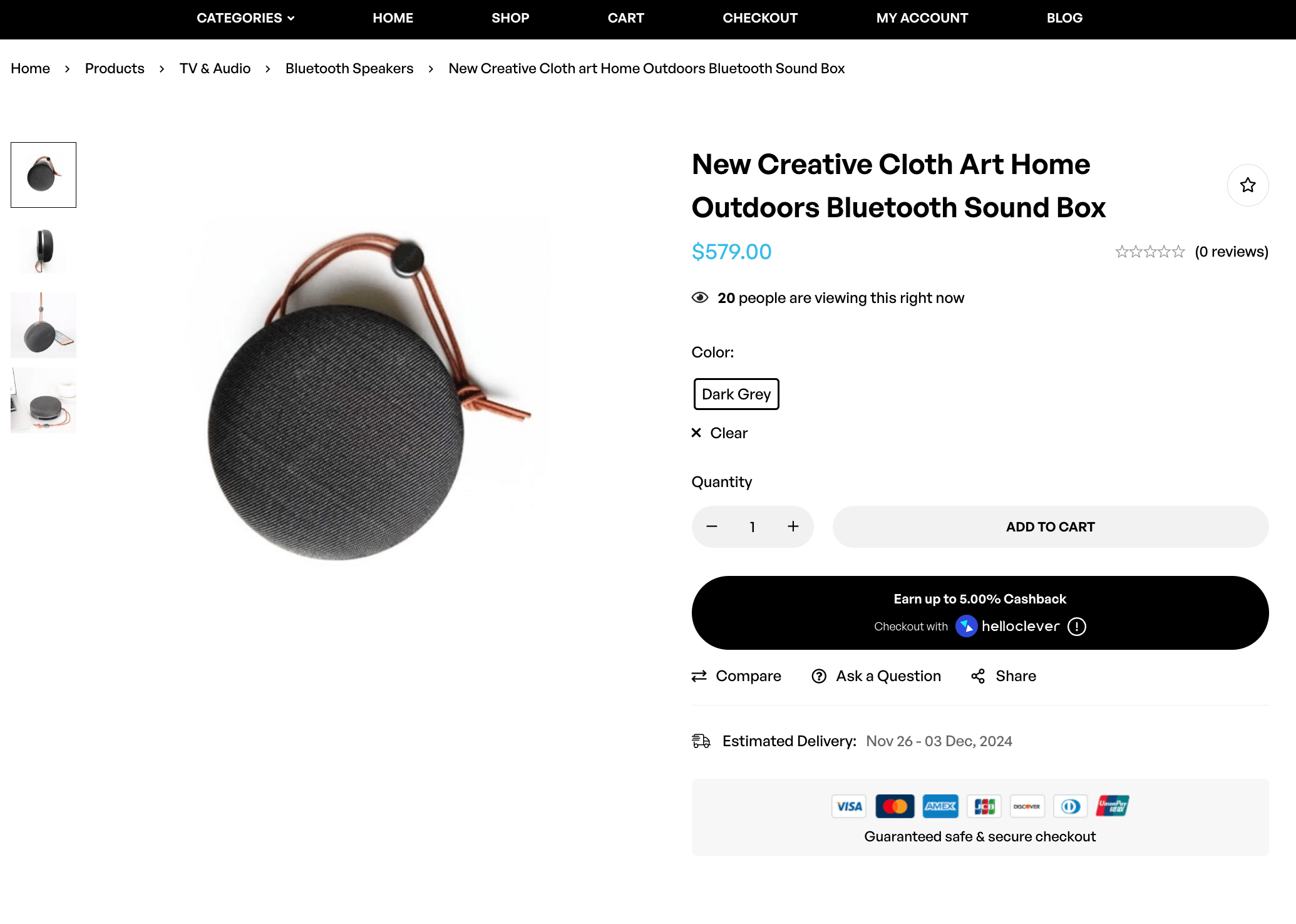 You can hover over the **“i”** icon to view detailed cashback terms and available payment methods. You can find the cashback percentage, maximum cashback per transaction, and eligible payment options here.
 ### 2. Select Payment Method
* Click the Express Checkout button to proceed with the Express Checkout popup.
* Choose your preferred payment method from the available options, such as **PayID**, **PayTo**, or **Debit/Credit Card**.
* Enter your delivery information if required.
### 2. Select Payment Method
* Click the Express Checkout button to proceed with the Express Checkout popup.
* Choose your preferred payment method from the available options, such as **PayID**, **PayTo**, or **Debit/Credit Card**.
* Enter your delivery information if required.
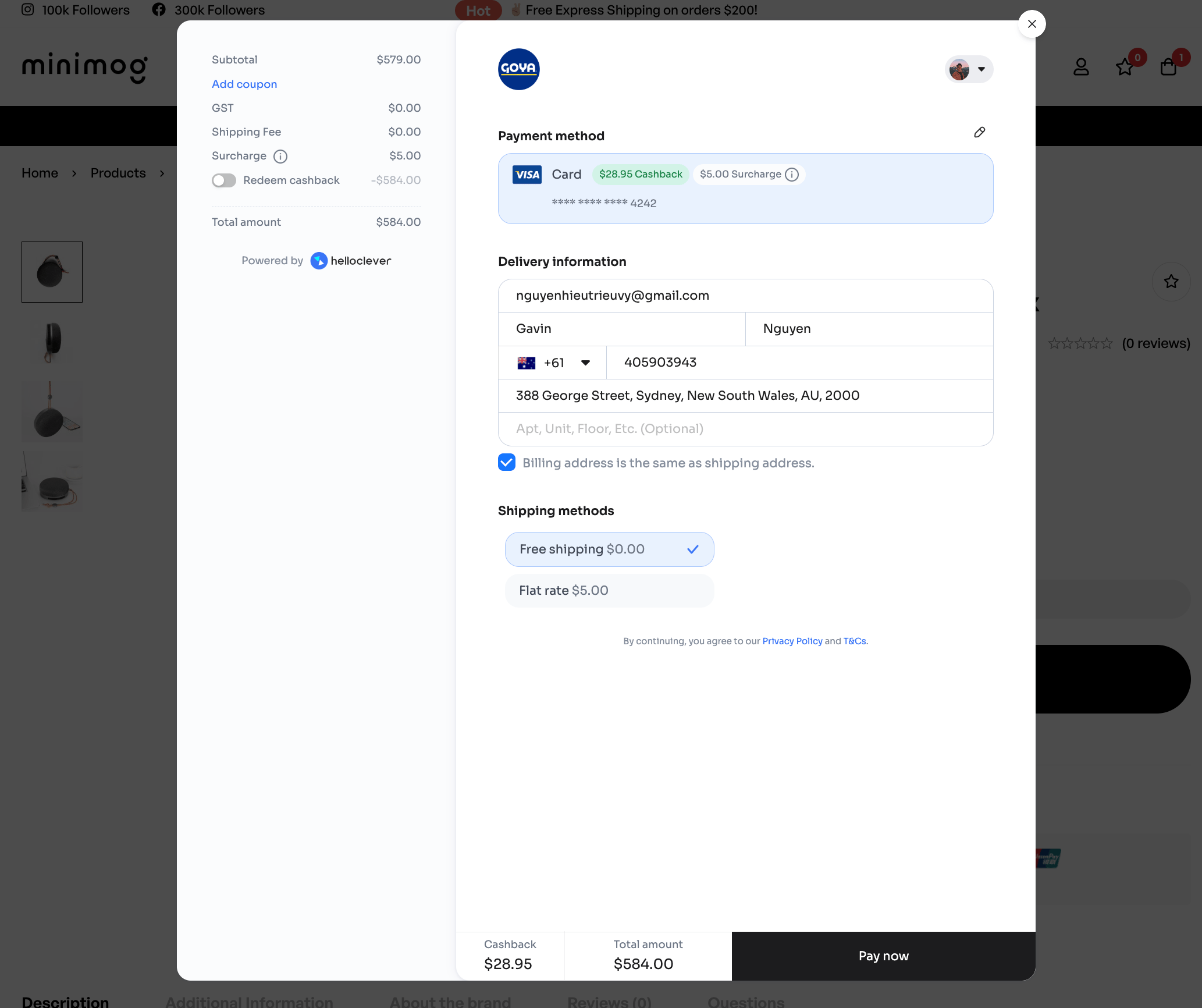 If this is the first time you use Hello Clever, we’ll save your details to your account so that when you return, you’ll have all your details readily filled out.
### 3. Confirm and Pay
* Verify the order details, delivery address, and the total amount in the popup window.
* Once confirmed, click **Pay Now** to complete the transaction.
### 4. Payment Confirmation
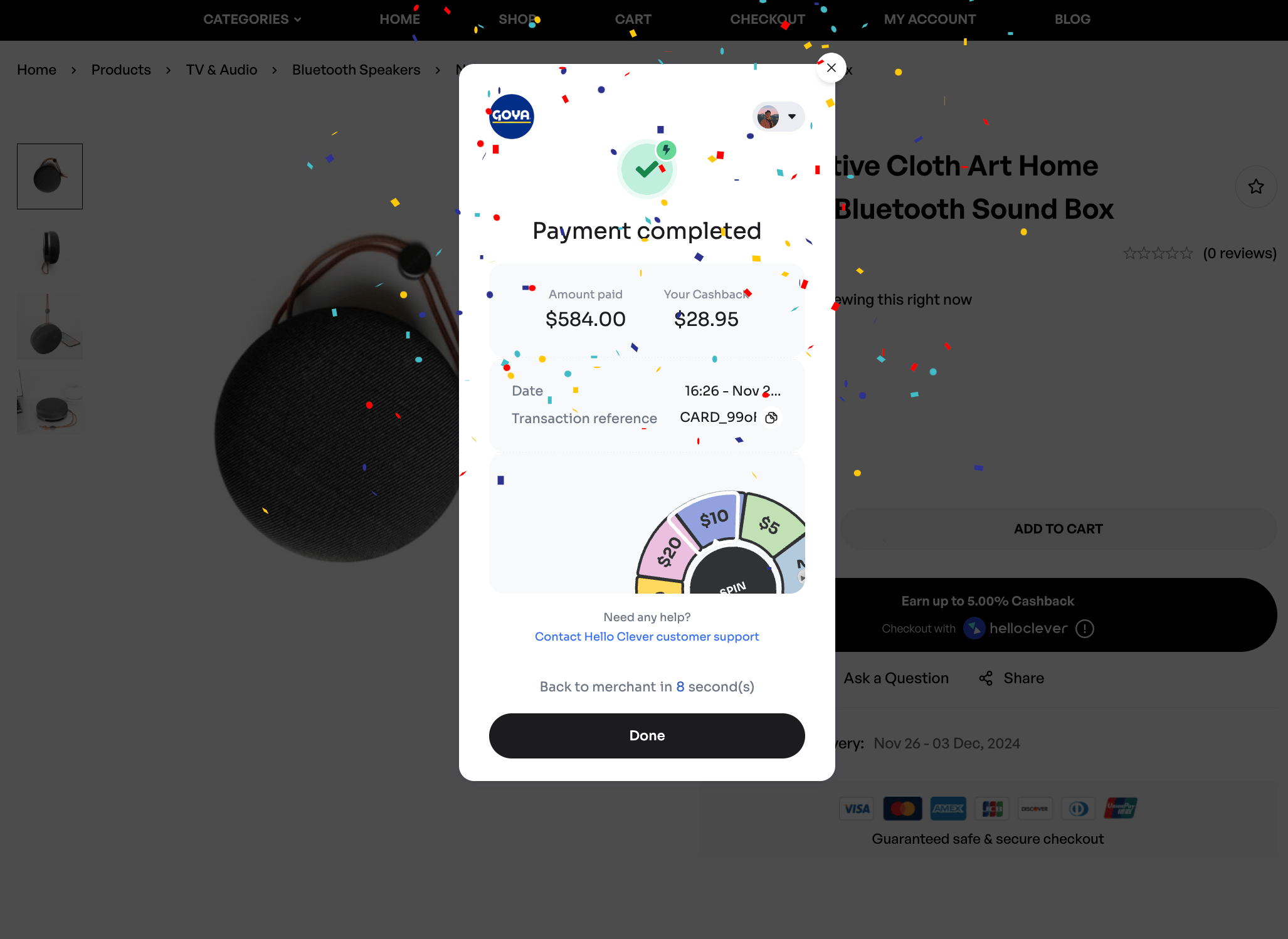
* After successful payment, you’ll see a confirmation screen with the following details:
* Amount paid
* Cashback earned (added to your Hello Clever account)
* Transaction reference
* The popup confirmation screen includes celebratory effects for a delightful experience.
If this is the first time you use Hello Clever, we’ll save your details to your account so that when you return, you’ll have all your details readily filled out.
### 3. Confirm and Pay
* Verify the order details, delivery address, and the total amount in the popup window.
* Once confirmed, click **Pay Now** to complete the transaction.
### 4. Payment Confirmation
* After successful payment, you’ll see a confirmation screen with the following details:
* Amount paid
* Cashback earned (added to your Hello Clever account)
* Transaction reference
* The popup confirmation screen includes celebratory effects for a delightful experience.
 ## **Key Features**
* **Popup Checkout**: Customers remain on your website throughout the payment process, improving engagement and reducing drop-offs.
* **Fast and Convenient**: Skip the cart and checkout process for a streamlined payment experience.
* **Instant Cashback**: Receive cashback rewards immediately after payment confirmation.
* **Secure Payments**: Ensures safe and reliable transactions through Hello Clever’s platform.
**Note**: Express Checkout is only available for merchants using WooCommerce stores integrated with Hello Clever.
## Related topics
- [Add Hello Clever to WooCommerce](/integrations/woocommerce.md)
- [Add Hello Clever to Shopify](/integrations/shopify.md)
- [Choose the Right Hello Clever Integration](/integrations/choosing-integration.md)
## **Key Features**
* **Popup Checkout**: Customers remain on your website throughout the payment process, improving engagement and reducing drop-offs.
* **Fast and Convenient**: Skip the cart and checkout process for a streamlined payment experience.
* **Instant Cashback**: Receive cashback rewards immediately after payment confirmation.
* **Secure Payments**: Ensures safe and reliable transactions through Hello Clever’s platform.
**Note**: Express Checkout is only available for merchants using WooCommerce stores integrated with Hello Clever.
## Related topics
- [Add Hello Clever to WooCommerce](/integrations/woocommerce.md)
- [Add Hello Clever to Shopify](/integrations/shopify.md)
- [Choose the Right Hello Clever Integration](/integrations/choosing-integration.md)